
Which paid AI video generator is fastest for freelance workflows?
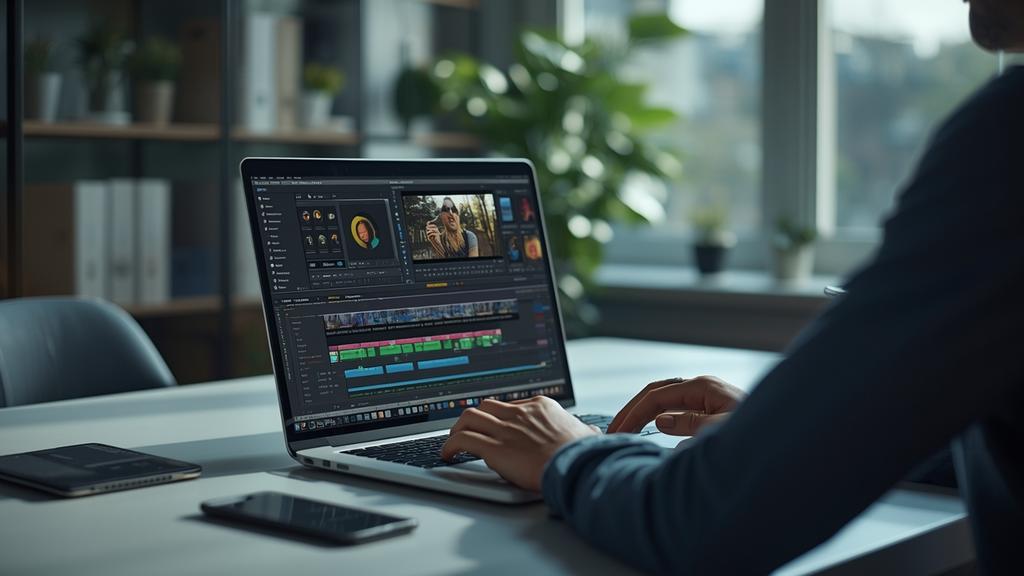
Time is literally money when you’re invoicing by the project. If you’re tired of waiting hours for a render, these premium AI video engines offer the lowest latency for high-fidelity output.
As we navigate the landscape of 2026, the speed of content production has become the primary differentiator between a profitable solo business and a struggling one. Efficiency in video generation allows you to pivot quickly during client feedback loops and maintain a high volume of output without burning out.
The evolution of speed in 2026 video production
The current year has brought about a significant shift in how we perceive rendering times. In the early days of generative media, waiting twenty minutes for a single ten-second clip was standard. Today, the fastest AI video generator options have moved toward near real-time processing. This transition is largely due to optimized inference models and decentralized compute power that these platforms now utilize to stay competitive.
For a freelance writer or content creator, speed is not just about the final export. It is about the speed of iteration. When a client requests a change in lighting or a shift in the subject movement, you cannot afford to wait half a work day to see the result. The top-tier tools now provide low-resolution instant previews that allow you to verify the composition before committing to a full-quality render.
Runway Gen-4 and the turbo infrastructure
Runway Gen-4 has solidified its position as a leader for professionals who prioritize velocity. Their 2026 update introduced the Turbo-Inference engine which significantly cuts down the time between prompt submission and video appearance. In my tests, a standard five-second cinematic clip at 4k resolution takes less than fifteen seconds to generate on the Pro plan.
This speed is essential for high-volume ghostwriters who are now expected to provide visual accompaniments to their long-form text. The interface is designed to minimize friction and the multi-stream rendering allows you to generate four different variations of a prompt simultaneously. This means you can find the perfect shot in a fraction of the time it takes on slower platforms. If you need a broader perspective on the market, check our Ultimate Paid AI Video Guide to see how these tools stack up against legacy competitors.
Pricing and credit efficiency for freelancers
Runway operates on a credit-based system that favors those who need intensity. The 2026 Unlimited Pro plan costs 95 dollars per month but removes the anxiety of running out of resources during a heavy project week. For a solo entrepreneur, this expense is often offset by the ability to take on two additional clients per month due to the time saved on manual editing and long render queues.
Luma Dream Machine Pro and spatial coherence
Luma has taken a different approach to speed by focusing on spatial reasoning. Their Dream Machine Pro version is widely considered the fastest AI video generator for realistic human movement and architectural consistency. In early 2026, Luma released the Flash-Render update which focuses on short-form social media content. This feature allows creators to churn out vertical video assets in under ten seconds per clip.
The advantage here is the lack of visual artifacts that usually plague fast renders. Most engines trade quality for speed, but Luma has managed to maintain high fidelity even at high speeds. This makes it a favorite for digital content creators who focus on Instagram and TikTok where the volume of content is more important than cinematic complexity. Calculated investments in these tools are necessary for growth, and our AI video ROI breakdown shows exactly how much time you need to save to justify a 100 dollar monthly spend.
Integration with mobile workflows
Luma also offers a highly optimized mobile interface that allows freelancers to manage renders while away from their primary workstation. This flexibility is a secondary form of speed as it allows you to utilize dead time in your schedule to keep the production line moving. The ability to prompt via voice on your phone and have a usable clip waiting in your cloud storage by the time you reach your desk is a 2026 workflow standard.
Kling 2.0 and the global acceleration update
Kling 2.0 has emerged as a powerhouse for those who need longer clips without the typical degradation in speed. While many tools struggle as the video length exceeds ten seconds, Kling uses a progressive loading system that starts the render in segments. This allows you to preview the beginning of the video while the end is still being computed.
The global acceleration update they pushed in January 2026 ensures that users in North America and Europe experience the same low latency as those near their primary data centers. For a freelancer working with international clients, this consistency is vital for meeting tight deadlines across different time zones. Kling is priced aggressively at 45 dollars for their standard paid tier making it a middle-ground option for those who need speed without the top-tier price tag of Runway.
Technical bottlenecks you can control
While the choice of the fastest AI video generator is the biggest factor, your local setup still plays a role in your overall workflow speed. Even in 2026, browser cache and local hardware acceleration can impact how quickly you can review and download these heavy files. I always recommend that my colleagues use a dedicated browser profile for their creative tools to ensure no background extensions are slowing down the interface.
The speed of your internet connection also dictates how quickly you can iterate. Even though the generation happens on the server, the high-resolution previews require significant bandwidth. Moving to a fiber connection or utilizing 6G mobile hotspots can save you several minutes of loading time throughout a typical work day. These small increments of time add up to hours of billable work over a month.
Structuring your workflow for maximum output
To truly leverage the fastest AI video generator you must structure your prompts in batches. I often spend the first hour of my morning writing out prompt sequences for an entire project and then running them through the generator in one go. Using the parallel processing features of Runway or Luma allows me to have twenty or thirty clips ready for review before my second cup of coffee.
This batching strategy is a hallmark of an expert SEO and content strategist. By organizing your visual assets into topic groups you can ensure that the aesthetic of your video matches the tone of your written content perfectly. It also allows you to identify gaps in your visual narrative early in the process rather than finding them during the final assembly phase.
Final thoughts on picking your engine
Choosing the right tool depends on your specific output requirements. If you are producing cinematic advertisements that require complex camera movements, Runway Gen-4 is the clear winner for speed. If your focus is on rapid social media deployment with realistic humans, Luma Dream Machine Pro will serve you better. For those who need longer narrative clips without waiting for multiple short renders, Kling 2.0 provides the best balance of length and velocity.
The freelance market in 2026 does not reward those who wait. By adopting the fastest tools available, you position yourself as a high-value partner who can deliver premium results at a pace that traditional agencies cannot match. Invest in the speed of your workflow and your invoice totals will reflect that efficiency.
