
What are the essential features in a professional paid AI video suite?
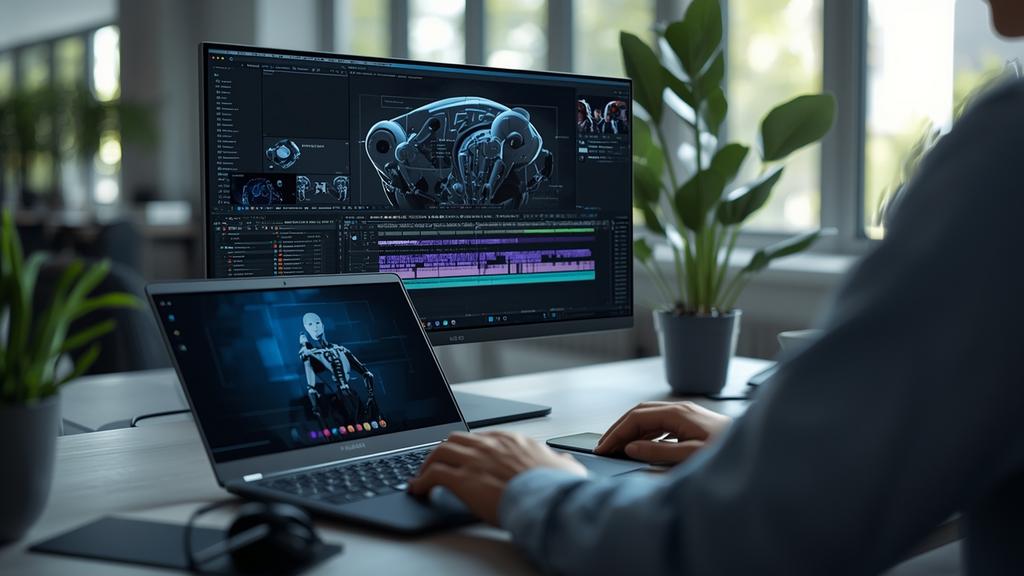
Don’t just look at the price tag; look at the toolbox. Professional-grade AI video requires more than just a text prompt box to be useful in a real production environment.
For a solo entrepreneur or a digital content creator in 2026 the difference between a toy and a tool is the level of control over the final output. High-end video production demands consistency and precision that basic generators simply cannot provide without significant manual intervention.
Temporal consistency and character persistence
The most important feature in a professional suite today is temporal consistency. In early iterations of video generation characters would shift features or backgrounds would warp between frames. By January 2026 professional tools like Sora 2 and Runway Gen-4 have mastered character locking. This allows you to upload a reference image of a person or object and maintain that exact appearance across multiple shots and environments.
For freelance writers and ghostwriters who are building brand identities for clients this feature is non-negotiable. Without character persistence you cannot tell a coherent story or build a recognizable face for a brand. Professional suites now include a dedicated character management library where you can store and summon specific assets with consistent clothing and facial structures regardless of the prompt complexity.
This level of stability extends to the environment as well. Professional tools now offer seed-based consistency where the lighting and architectural layout of a room remain identical across different camera angles. If you are creating a series of videos for a social media campaign you need the audience to feel like they are in the same physical space every time they click play.
Cinematographic control and spatial intelligence
A professional suite must offer more than just a random generation of a scene. It needs to give the creator the role of a director. In 2026 the industry standard involves advanced camera controls including pan tilt zoom and orbit functions that can be mapped to specific timestamps. This is often referred to as director mode or motion brush 3.0 in current platform comparisons across the market.
Spatial intelligence allows the software to understand the 3D physics of a scene. When a character moves behind a tree they should disappear and reappear naturally. Professional-grade tools now utilize depth-mapping and flow-tracking to ensure that physics remain realistic. This includes fluid dynamics for water and realistic weight for moving objects. As a creator you should look for suites that allow you to sketch a rough motion path or use a mouse to guide the camera movement in real time during the generation process.
Advanced multi-pass rendering
Professional video suites now offer multi-pass rendering which is a concept borrowed from high-end 3D animation. Instead of generating a single flattened video file the tool generates layers. You can separate the background from the foreground or the character from the lighting effects. This allows for much cleaner post-production editing. If you are a ghostwriter managing a youtube channel for a client having the ability to swap a background without re-generating the entire video saves hours of compute time and credits.
Native audio generation and foley integration
Video is only half the battle in modern content creation. By the start of 2026 the leading paid AI video suites have integrated high-fidelity audio generation directly into the video workflow. This goes beyond simple background music. Professional tools now offer automatic foley generation where the software identifies objects in the video and generates corresponding sounds like footsteps on gravel or the hum of a distant car.
Lip-syncing has also reached a point of near-perfection. Professional suites allow you to upload a voiceover file and the AI will automatically adjust the facial muscles and jaw movements of the character to match the phonemes of the speech. This is essential for creators who need to produce content in multiple languages. You can generate a video once and use the suite to re-sync the character for Spanish French or Mandarin audiences without losing the emotional resonance of the performance.
For a comprehensive look at how these features stack up across different price points you can consult our Ultimate Paid AI Video Guide which breaks down the top five platforms currently dominating the industry.
Enterprise-grade security and legal indemnity
For a professional the legal standing of the content is just as important as the visual quality. Professional paid suites in 2026 offer what is known as full commercial indemnity. This means the company hosting the tool guarantees that the training data used for their models is legally sourced and they will cover legal costs if a copyright claim is ever made against your generated content.
Free or low-cost tools rarely offer this protection. As a solo entrepreneur or freelancer you cannot afford the risk of a lawsuit because a generator used unlicensed clips in its training set. Furthermore professional suites offer private silos for your content. Your prompts and your generated videos are not used to train future versions of the model. This keeps your client work confidential and protects your unique creative style from being absorbed into the public data pool.
Pricing structures and credit management in 2026
The pricing landscape has shifted significantly since 2024. In early 2026 most professional suites have moved away from simple monthly subscriptions toward a hybrid model of base fees and compute credits. A typical professional tier now starts around 95 dollars per month. This usually includes approximately 500 high-definition credits which translates to about 30 to 40 minutes of finished 4K video at 60 frames per second.
Professional suites also offer credit rollover and team sharing options. If you are a freelancer working with a small team of editors you need a centralized dashboard where credits can be allocated to different projects. Look for suites that provide detailed analytics on credit usage and rendering times. Professional tools also offer priority queue access which ensures that your renders are processed immediately even during peak usage hours when the servers are under heavy load.
Resolution and export standards
While 1080p used to be the standard professional suites now target 4K as the baseline output. The ability to export in professional formats like ProRes or even raw video data is a key differentiator. This allows for professional color grading in external software like DaVinci Resolve. If a suite only offers mp4 exports it is likely not intended for high-end professional use. You need the dynamic range and the bit depth that come with professional codecs to ensure your work looks good on high-resolution screens and mobile devices alike.
The efficiency of professional workflow integration
The final feature to consider is how well the suite integrates with the rest of your tech stack. Professional tools now offer plugins for major video editing software. This allows you to generate clips directly within your timeline. The goal of a professional suite is to reduce the friction between an idea and a finished product. If you have to jump between five different websites to get a single scene finished the tool is failing you.
Look for features like batch generation and automated storyboarding. These allow you to upload a full script and have the AI generate a rough cut of the entire video in one go. You can then go back and refine individual shots using the director tools mentioned earlier. This workflow is what allows a single creator to produce the volume of content that previously required an entire production house. In the competitive landscape of 2026 efficiency is the only way to maintain a profitable margin as a freelance creator.
